
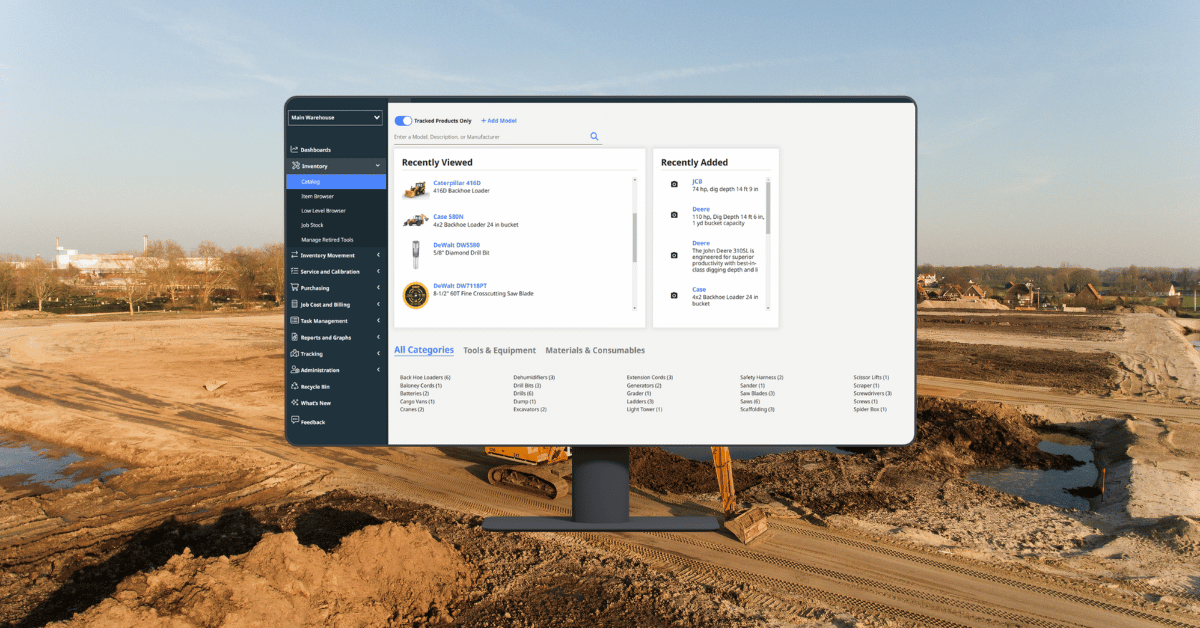
ToolWatch was built to streamline your asset management processes. That’s exactly why we’re committed to updating the capabilities you know and love. This ToolWatch release includes three new updates:
- Smart Fill: Automatically populates quantities for multiple items in the Requisition Browser to speed up processing.
- Collaborate (Warehouse App): Adds real-time messaging directly within pick tickets so warehouse teams can communicate without leaving the app.
- Line Item Notes: Allows field teams to add specific instructions or context to individual items that stay visible throughout the entire fulfillment process.
Here’s what you need to know:
Smart Fill in the Requisition Browser
Processing requisitions—especially large ones—can be time-consuming when you’re manually entering quantities for every line item.
With Smart Fill, ToolWatch now does that work for you.
Instead of filling in quantities one by one, you can select multiple items in the Requisition Browser, choose your next action (like creating a purchase order or pick ticket), and use Smart Fill to automatically populate the remaining quantities. From there, you can quickly review and adjust as needed.
Why it matters:
For teams managing high volumes of requests, this significantly speeds up the process and reduces the risk of manual errors. What used to take several minutes—and a lot of clicking—can now be done in just a few steps.
Collaborate in Pick Tickets (Warehouse App)
Warehouse teams are increasingly mobile—but communication tools haven’t always kept up.
With Collaborate now available directly within pick tickets on the Warehouse App, your team can communicate in real time without leaving the workflow.
Simply open a pick ticket and access Collaborate by tapping the 3 dots in the upper right corner to view or send messages tied directly to that task.
Why it matters:
Instead of relying on calls, texts, or emails, your team can keep conversations connected to the pick ticket itself. This improves clarity, reduces delays, and ensures everyone, including your warehouse team, has the context they need—right where they need it.
Line Item Notes for Field Requests
Not every request is straightforward. Sometimes, field teams need to include extra details—especially for one-off or non-standard items.
With line item notes, you can now add specific instructions or context directly to each item in a request. These notes follow the item throughout the workflow, from the initial request all the way to the pick ticket.
When creating a request, simply add items as usual and include notes where needed—those details will remain visible to anyone fulfilling the request.
Why it matters:
This eliminates the need for separate emails or follow-up communication and ensures nothing gets lost between the field and the warehouse. The result is clearer requests, fewer mistakes, and a smoother fulfillment process.
Stay in the Know
Stay up to date regarding all ToolWatch releases by signing up for our newsletter. If you have any questions or want to learn more, be sure to check out the Help Center or reach out to our team today.

.png?width=960&length=960&name=PO%20Imports%20(1).png)