
Managing a growing inventory of tools, equipment, and materials across multiple job sites can quickly turn into a costly game of hide-and-seek. ToolWatch is launching two major updates designed to eliminate site clutter, speed up daily workflows, and give teams total control over their assets: Scan Box Filters and the refreshed Universal Map.
Scan Box Filters: Eliminate Search Clutter and Find Items Faster
Searching for a specific asset using a scan box used to mean sifting through a sea of partial matches. Previously, entering a query like "57" pulled up every item number, barcode, serial number, and model UPC containing those digits.
Scan Box Filters give administrators and field users complete control over which item identifiers are queried when adding assets to transfer tickets, pick tickets, purchase orders, or inventory counts.
- Tailored Configurations: Choose to search strictly by Item Number, Barcode, Serial Number, or Model UPC—or any combination of the four.
- Company-Wide Defaults: Admins can configure global defaults under Administration > Company Settings to align with the company’s primary tracking method.
- Flexible Admin Controls: When updating settings, admins can choose to apply changes to all users, only users on defaults, or new hires.
- Personalized User Preferences: Field teams can customize their own settings in the mobile app under Settings > Preferences to match their specific search habits, with an option to reset to company defaults at any time.
Scan Box Filters are available across the platform to all ToolWatch users at no additional cost.
Universal Map: Total Visual Command of Your Inventory
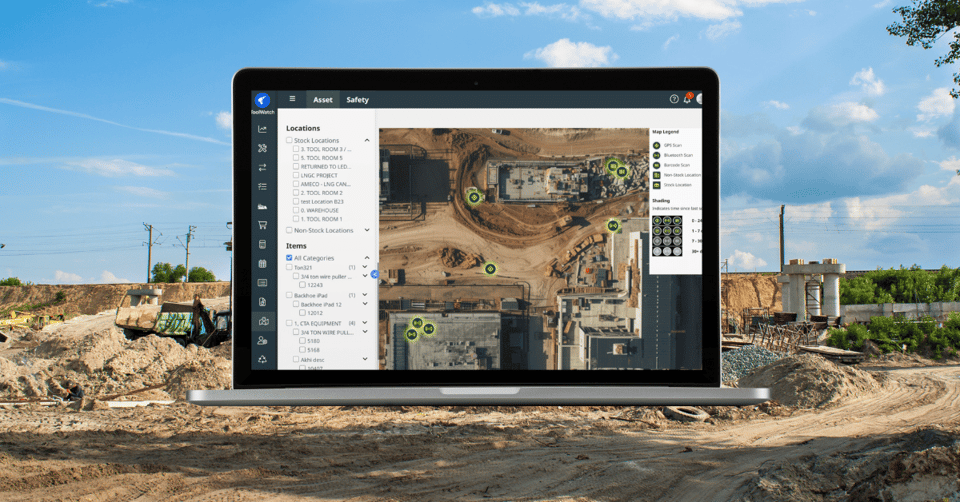
Knowing what you have is only half the battle—you also need to know where it is. The updated Universal Map provides a live, unified visual layout of all your stock locations, non-stock locations, and scanned items across every warehouse and job site.
Key Enhancements & Capabilities:
- Battery-Powered GPS Gateways: Track high-value assets in real time with precision. Battery-powered GPS gateways report exact positions directly on the map, while plug-in gateways update items to their known assigned address.
- Expanded Smart Filters & Chips: Filter instantly by categories, models, scan type (GPS gateway, BLE Bluetooth, or barcode), last scan range, or assignment. Selected filters appear as clear, removable chips for easy toggling.
- Time-Based Visual Shading: Map icons change shade based on scan recency (0–24 hours, 1–7 days, 7–30 days, or 30+ days), letting you instantly gauge data freshness.
- Fast Search Capabilities: Jump straight to a specific job site or warehouse using the location search bar, or search within individual filter dropdowns without scrolling.
- Assignment Visibility: Filter assets assigned to specific locations or directly to individual crew members to hold teams accountable.
Core mapping features are included with ToolWatch Pro and Enterprise plans. Unlocking live GPS and Bluetooth (BLE) tracking layers—including embedded tags in Milwaukee and DEWALT tools—requires the Wireless Tracking add-on.
Other ToolWatch Enhancements released in August
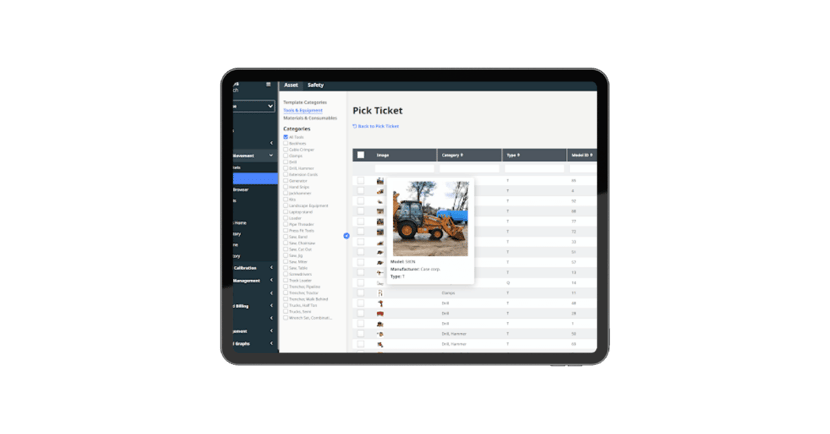
Bigger, Clearer Photos
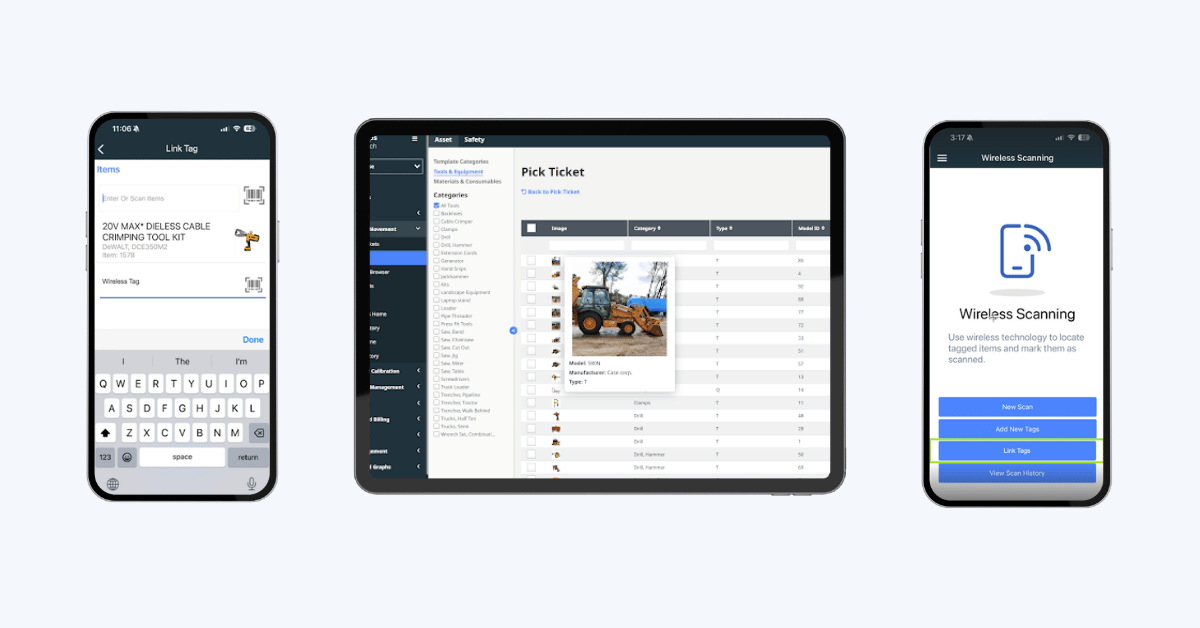
Photos now show bigger when you hover over them instead of a small thumbnail. It's easier to see exactly what you're looking for when adding an item to a pick ticket or looking at items in the Requisitions Grid View.
Pick Scan Now Recognizes the Line Item for You (Cloud)
Picking a big order used to mean scrolling through the ticket to find the right row before you could scan. Now you just scan a barcode or type into the scan box, and the app automatically matches it to the right line item.
If more than one row matches, you'll get a quick pop-up so you can choose the correct one. Built with large pick tickets in mind, but it speeds up picking on orders of any size.
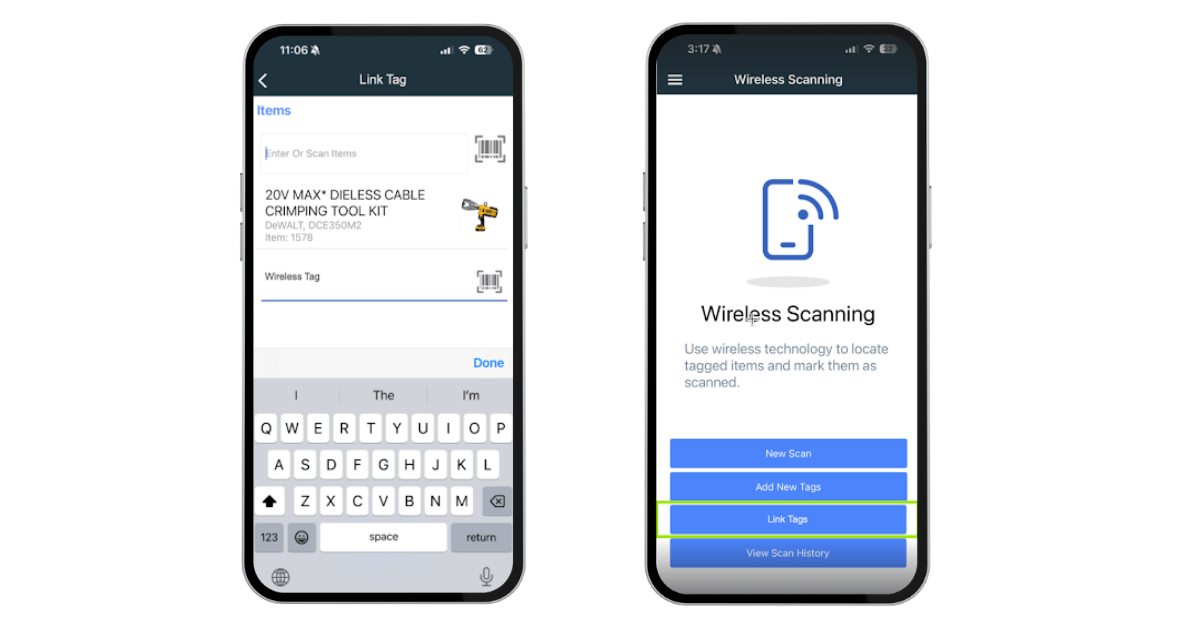
Assign an Existing Wireless Tag to a Tool Right from Your Phone
Got a wireless tag that's already in the system and needs to move to a different tool? Now you can make that connection right from the mobile app. Scan the tag's QR or search by its MAC address, pick the tool, and you're done. No more jumping to a desktop to get it done.

.png?width=960&length=960&name=PO%20Imports%20(1).png)