Skip to content
Integration

AlignOps and Procore Integrations

Connect Procore to the AlignOps products your crews use every day. Time, tools, and safety inspections land on the right Procore project, with no double entry.

Team of construction engineers, discussing items on a tablet

How Procore Syncs with AlignOps

AlignOps BusyBusy, AlignOps ToolWatch and AlignOps SafetyReports each connect to Procore through Procore’s cloud API. Your Procore projects stay the source of truth. Each product brings in the project and people data it needs, then sends its own field data back: hours from BusyBusy, equipment usage from ToolWatch and inspection reports from SafetyReports. Pick one product or connect all three. Each connection is set up and runs on its own.

Every AlignOps product syncs different data with Procore. Here’s exactly what moves, and which way.

Exactly what syncs between AlignOps and Procore

AlignOps ToolWatch: Procore Projects In, Equipment Usage Out

Bring Procore projects and people into ToolWatch, then send equipment usage back to the job.

ToolWatch logo
 
Procore logo
In ToolWatch Sync In Procore
Employees
arrow-left-long
Directory (People)
Locations
arrow-left-long
Projects
Cost Centers
arrow-left-long
Projects

In ToolWatch settings, you choose whether Procore projects come in as Locations, Cost Centers or both.

AlignOps BusyBusy: Crews and Cost Codes In, Hours Out

Pull your Procore crew, projects and cost codes into BusyBusy, then send tracked hours back to Procore.


BusyBusy-color-black-TOWER (1)
 
Procore logo
In BusyBusy Sync In Procore
Employees
arrows-left-right
Directory (Employees)
Projects
arrows-left-right
Projects
Cost Codes
arrow-left-long
Cost Codes
Time Entries
arrow-right-long
Timecard

Requires an AlignOps BusyBusy Pro account and the Procore Directory, Timecard and Daily Log tools. Only Procore users marked as employees sync, and each one needs a unique email.

AlignOps SafetyReports: Linked Projects In, Inspections Out

Link a Procore project once, and every completed inspection files itself in that project’s Documents.

SafetyReports logo
 
Procore logo
In SafetyReports Sync In Procore
Job Bank Jobs
arrow-left-long
Projects
Responsible Parties
arrow-left-long
Project Team Contacts
Completed Inspections
arrow-right-long
Project Documents

An admin links each Procore project to a SafetyReports Job Bank job one time. After that, inspections send to Procore automatically. Available on SafetyReports Pro and Enterprise.

two men wearing hard hats looking at laptop

Built for Contractors Who Run Their Jobs in Procore

AlignOps connects to the Procore account you already use, so your projects, permissions and workflows stay the same. Each AlignOps product is an approved app on the Procore App Marketplace. Your AlignOps team sets up each connection and maps your projects before you go live.
Why Contractors Connect AlignOps to Procore

Keep Procore as your project record while your crews track time, tools and safety in apps built for the field.


repeat

No Double Entry

Projects and people come from Procore, so nobody re-keys them in another system.
clock-two

Hours on the Right Job

BusyBusy sends crew hours to Procore Timecard, tied to the right project and cost code.
screwdriver-wrench

Equipment Tied to the Project

ToolWatch records which tools and equipment were on each Procore project.
file-check

Inspections Filed for You

Completed SafetyReports inspections save to the project’s Procore Documents automatically.
user-helmet-safety

One Connection per Product

Start with one AlignOps product and add the rest when you’re ready. Each connection runs on its own.

Speak with an AlignOps specialist today

Frequently asked integration questions

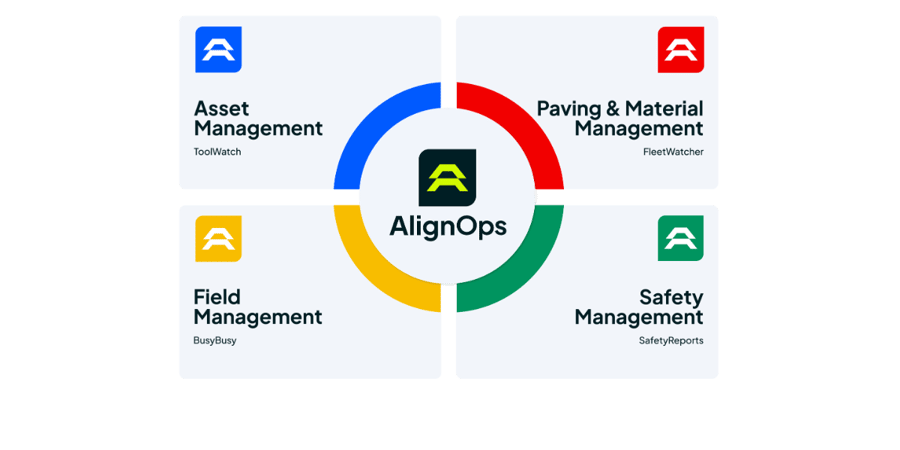
AlignOps BusyBusy, AlignOps ToolWatch and AlignOps SafetyReports all connect to Procore. AlignOps FleetWatcher doesn’t connect to Procore today.

It depends on the product. BusyBusy syncs employees, projects and cost codes, then sends time entries to Procore Timecard. ToolWatch brings in people and projects and sends equipment usage back. SafetyReports links to Procore projects and sends completed inspections to Project Documents.

No. Time from BusyBusy lands in Procore Timecard and the Daily Log. To count against budgets in Procore, time has to be entered on a Procore timesheet.

No. An admin links each Procore project to a SafetyReports job one time. After that, completed inspections send to Procore automatically.

No. Each product connects to Procore separately. Book a demo and talk with a specialist to learn more today.

Take Control of Your Operations Today

AlignOps delivers the real-time data you need to optimize your field, fleet, assets, and risk management—guaranteeing proven ROI on every job.
alignops products-2