.png?width=1200&length=1200&name=2026.6%20%20Multi-Select%20Filtering%20and%20Expanded%20CSV%20Exports%20Are%20Here%20%20(3).png)
Managing equipment and reporting just got easier. BusyBusy 2026.6 brings you a new way to manage, filter, and report on your data. Let’s take a look at what’s new.
1. Multi-Select Filtering on Time Cards (Web)
Instead of being restricted to selecting one item at a time while the filter menu closes automatically, you can now select multiple criteria simultaneously in the Time Cards view.
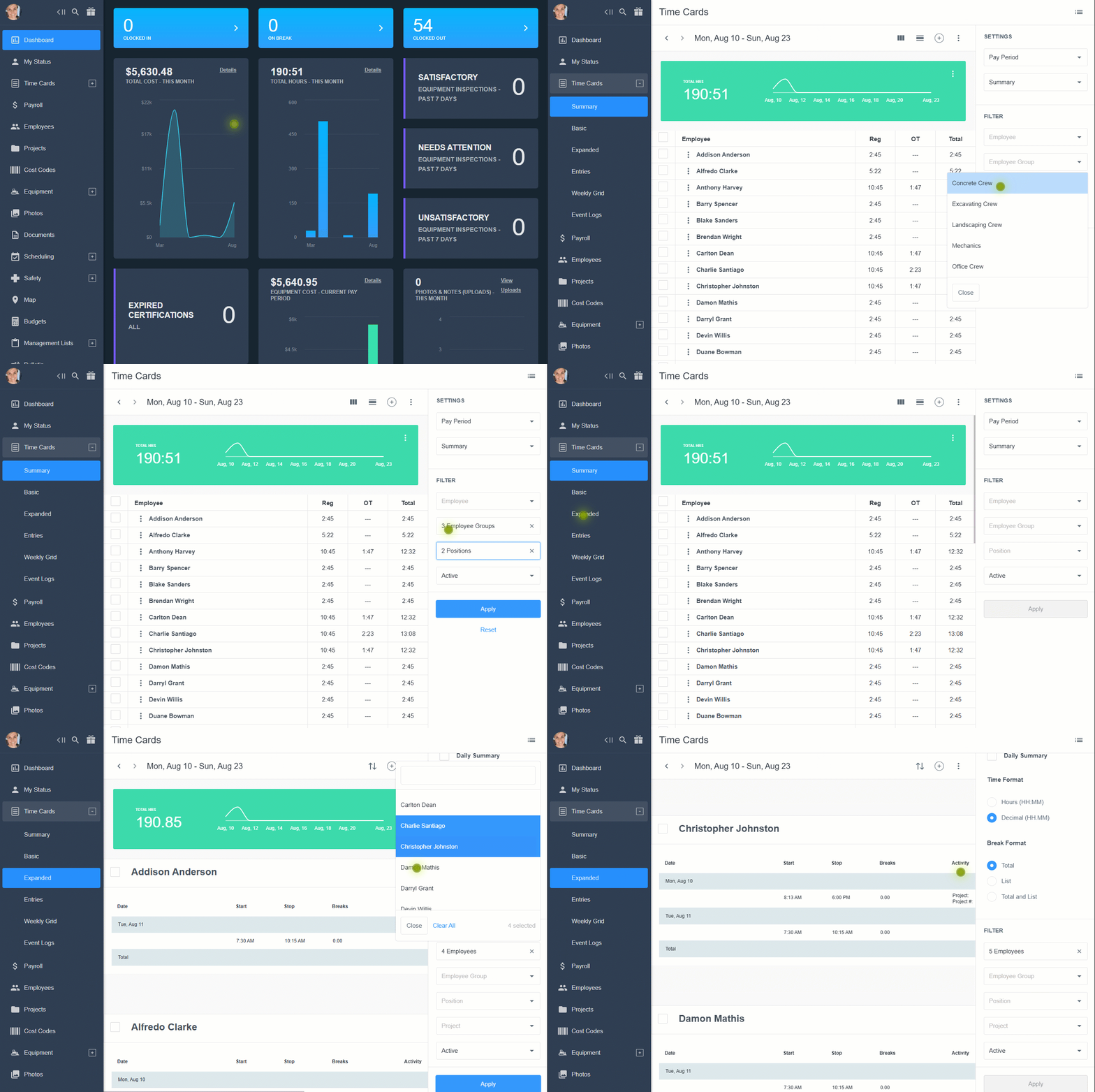
- Where it works: Multi-select is available for Employees, Employee Groups, Positions, Project Groups, Cost Codes, Cost Code Groups, and Equipment.
- How to spot it: The picker stays open while you click, displaying visual indicators for all selected items.
(Note: The "Type" filter for paid/unpaid time off remains a single-select option for now).
2. Expanded CSV Data Exports (Web)
We’ve added one-click CSV exports to several key areas on the web platform, making manual data piecing a thing of the past. Here are three new export types:
- Equipment Certifications: Easily export both active and expired certification lists straight from the main table view.
- Equipment Inspections: Instantly export completed and upcoming inspection records to CSV.
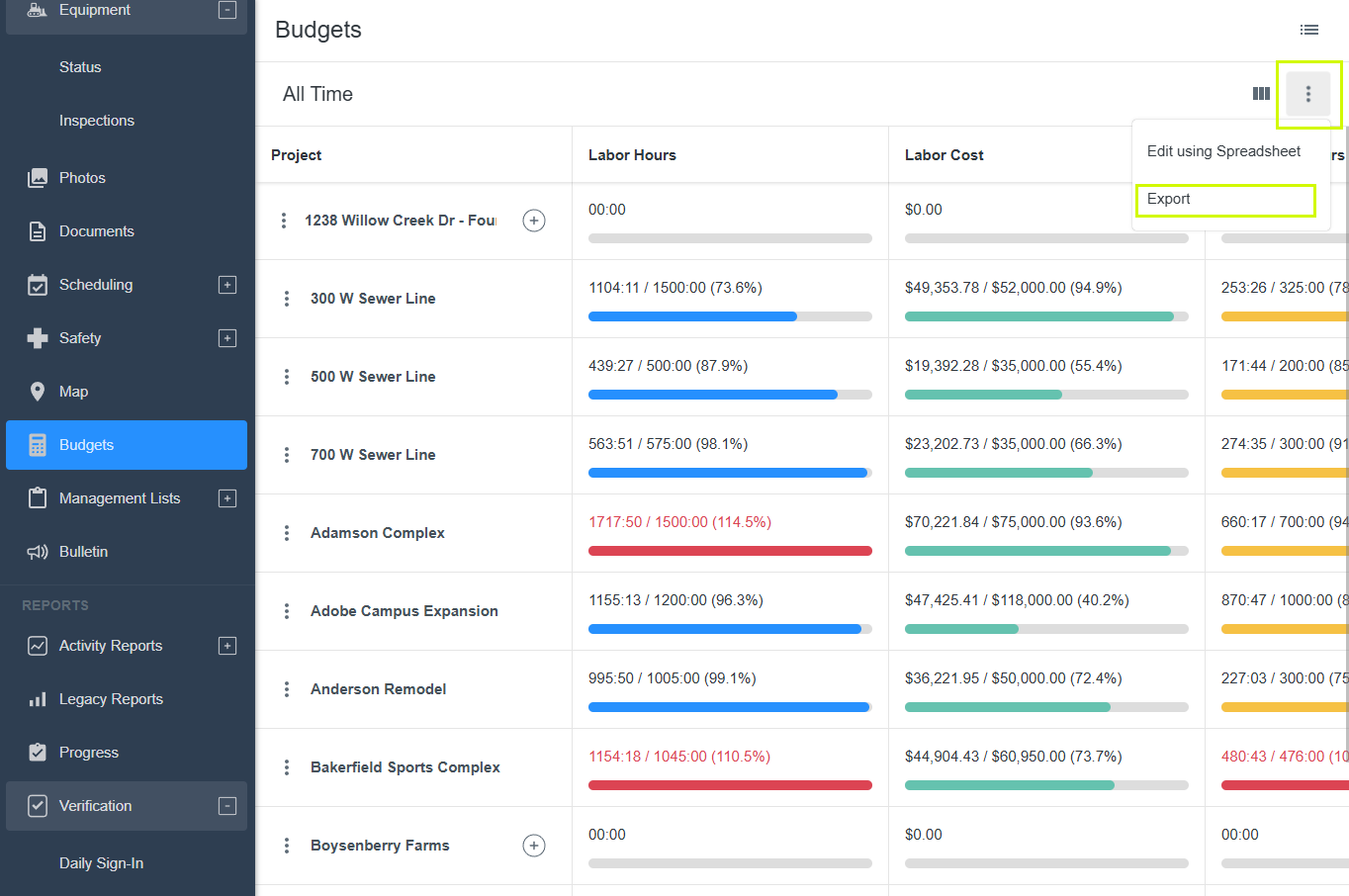
- Budget vs. Actuals: Export high-level labor hours and cost reporting directly from the main Projects view list.
3. Equipment Inspection Upgrades
Managing equipment safety and compliance just got a whole lot faster, whether you are at your desk or out in the field.
- Duplicate Inspection Checklists (Web): Instead of building every checklist from scratch, you can now clone existing equipment inspection forms with a single click. The duplicate preserves all original questions and lets you quickly rename the new version.
-1.png?width=1356&height=906&name=0%20(1)-1.png)
-
On-the-Go Inspection Setup (Mobile): No need to wait until you are back at a computer. You can now configure pre-op, post-op, and routine equipment inspection forms directly from the mobile app while adding new equipment or tools.
-1.png?width=284&height=595&name=0%20(3)-1.png)
Log in to your BusyBusy account today to test out these updates!