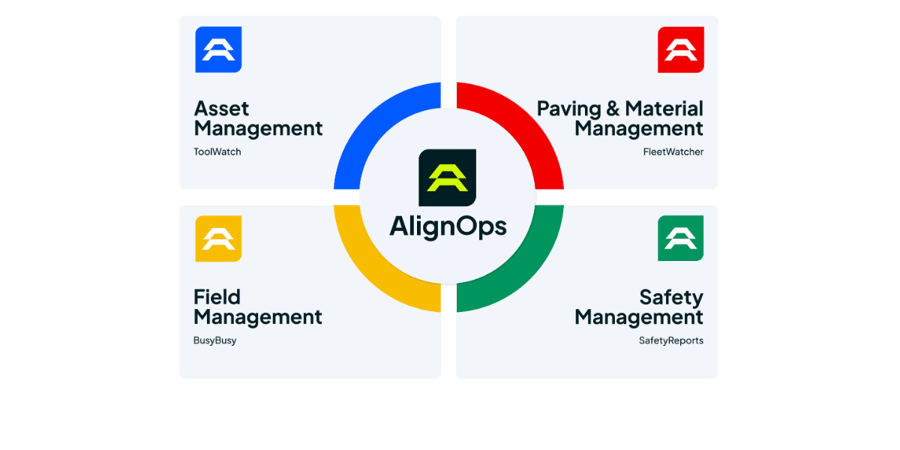
AlignOps FleetWatcher + FastWeigh
Stop re-keying scale tickets. FleetWatcher pulls tickets straight from FastWeigh and ties each load to the truck that hauled it, so tonnage, cycles and pay line up without paperwork.
How FastWeigh and FleetWatcher Sync
AlignOps' FleetWatcher connector pulls scale tickets from your FastWeigh account through FastWeigh's API. Tickets are matched to your FleetWatcher trucks, plants, and jobs as they come in, with no manual exports. Tickets are re-checked automatically.

Exactly what syncs between AlignOps FleetWatcher and FastWeigh

Built for plants already running FastWeigh
FleetWatcher connects to the FastWeigh setup your scale house already uses, so your plant keeps weighing and ticketing the same way. Your AlignOps team sets up the connection for each plant and matches FastWeigh trucks and haulers to your FleetWatcher fleet before you go live.
Why paving contractors connect FleetWatcher to FastWeigh
Connect every load from the scale house to the truck, the job and the timecard, without chasing paper tickets.
No re-keying
Every load matched
Tonnage pay that adds up
Tickets re-checked automatically
Ready for DOT e-ticketing
Talk with a FleetWatcher specialist
Frequently asked integration questions
FleetWatcher pulls scale tickets from FastWeigh, including ticket number and date, gross, tare and net weights, truck and hauler, plant, job and material. Additional ticket fields are mapped per plant. [DOT job and mix numbers come through when your plant provides them.] Each ticket is matched to the FleetWatcher truck that hauled the load.
FleetWatcher connects to FastWeigh's API with your account credentials and pulls new tickets on a regular schedule. Tickets are checked and matched to your trucks, plants and jobs before they appear in FleetWatcher. Book a demo and talk with a specialist to learn more today.
[Mostly one way: tickets flow from FastWeigh into FleetWatcher. FleetWatcher can also send ticket data back to FastWeigh. Rewrite this answer once Engineering confirms what the return step sends.]
FleetWatcher re-checks FastWeigh automatically, so a ticket that was missed or later edited is picked up on a later run. If a ticket still doesn't show up, contact your AlignOps team. If FastWeigh itself is having an outage, tickets come through once it's back up.
Yes. FastWeigh tickets can flow on to the state DOT e-ticketing systems FleetWatcher supports, such as VETA. FleetWatcher calculates running totals, such as cumulative net weight and ticket count, itself. DOT job and mix numbers come through when your plant provides them.
Take Control of Your Operations Today
AlignOps delivers the real-time data you need to optimize your field, fleet, assets, and risk management—guaranteeing proven ROI on every job.