.png?width=1200&length=1200&name=What%E2%80%99s%20New%20in%20ToolWatch%20June%202026%20Release%20Summary%20(1).png)
What’s New in ToolWatch: June 2026 Release Summary
We are excited to roll out our latest update for June 2026! This release introduces powerful new enhancements to purchasing, service requests, and work order management while vastly improving reporting accuracy and platform reliability across ToolWatch.
Whether you log in via the web app or use our mobile tools, these updates are designed to give your team smoother inventory workflows and expanded capabilities. Here is a closer look at what changed in June.
Streamlining Your Purchasing Workflows
A major initiative of ours is to continue to improve procurement within ToolWatch. We’ve got several enhancements in this release.
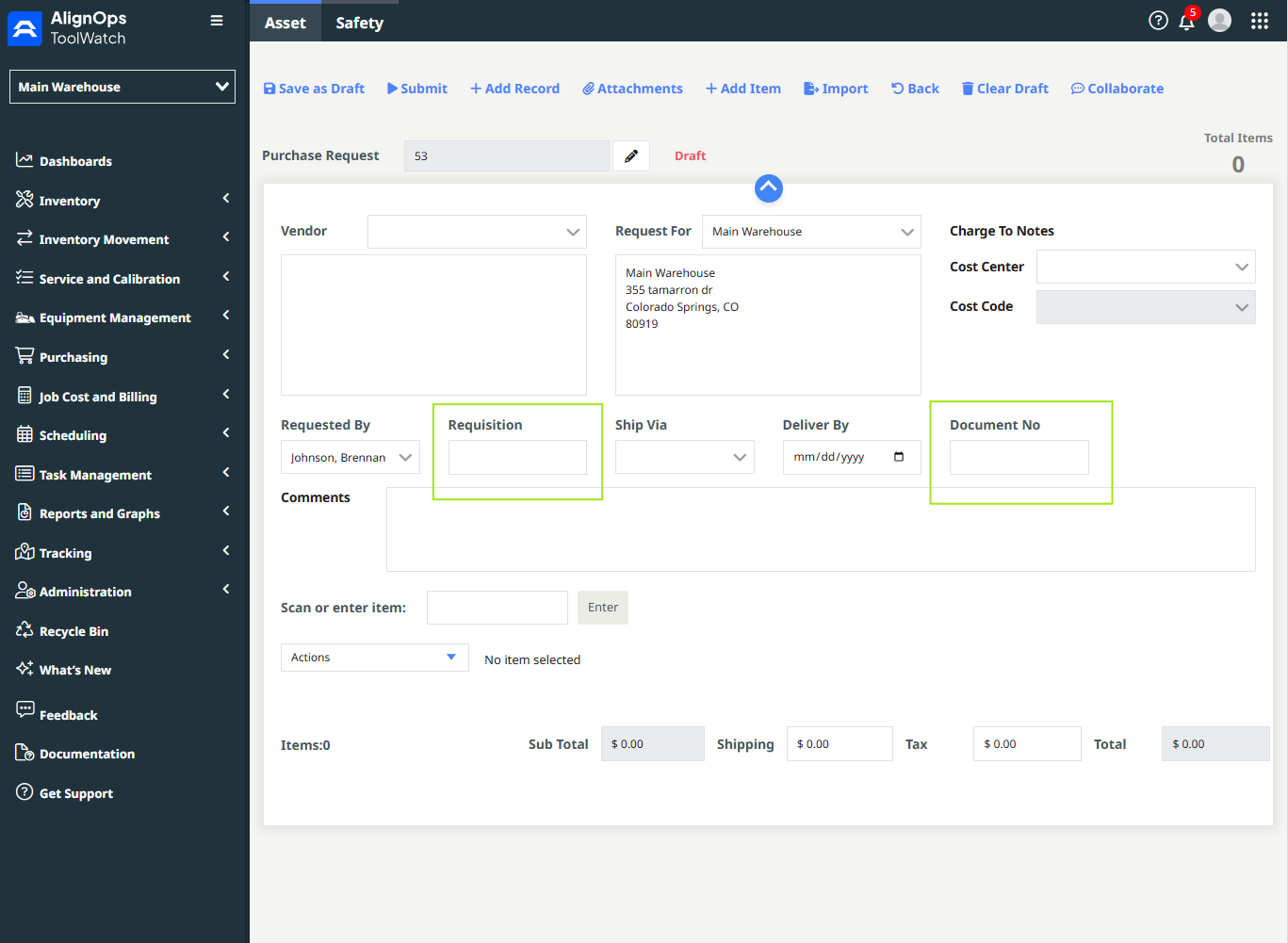
- Expanded Context for Purchase Requests: Purchase Requests now officially support dedicated Documents and Requisition fields. This means your team can maintain critical context from the beginning of the purchasing lifecycle.
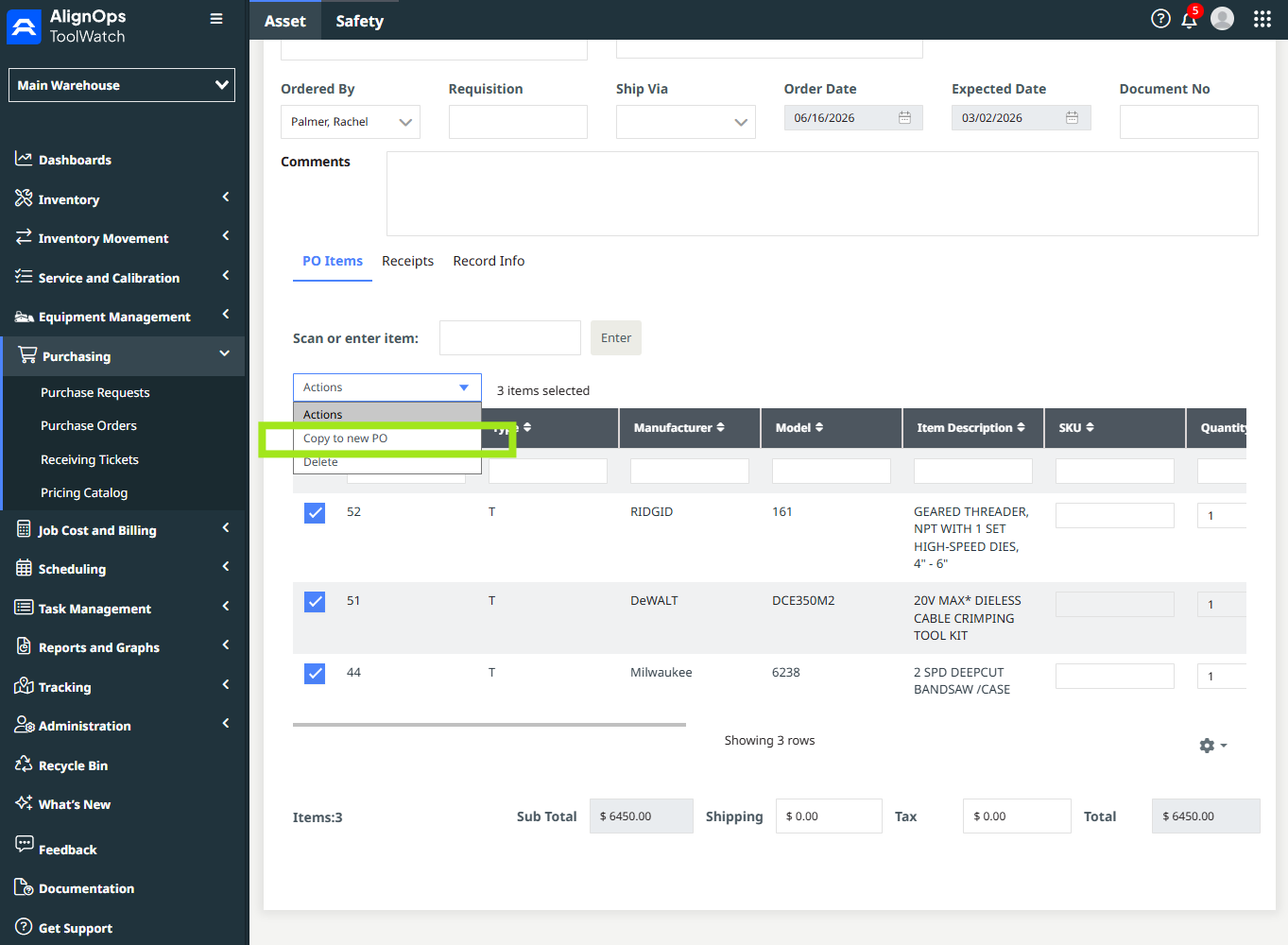
- Copy Existing Purchase Orders: To speed up operations for repeat buyers, you can now create new Purchase Orders by simply copying models from an existing PO, reducing manual entry for routine restocks.
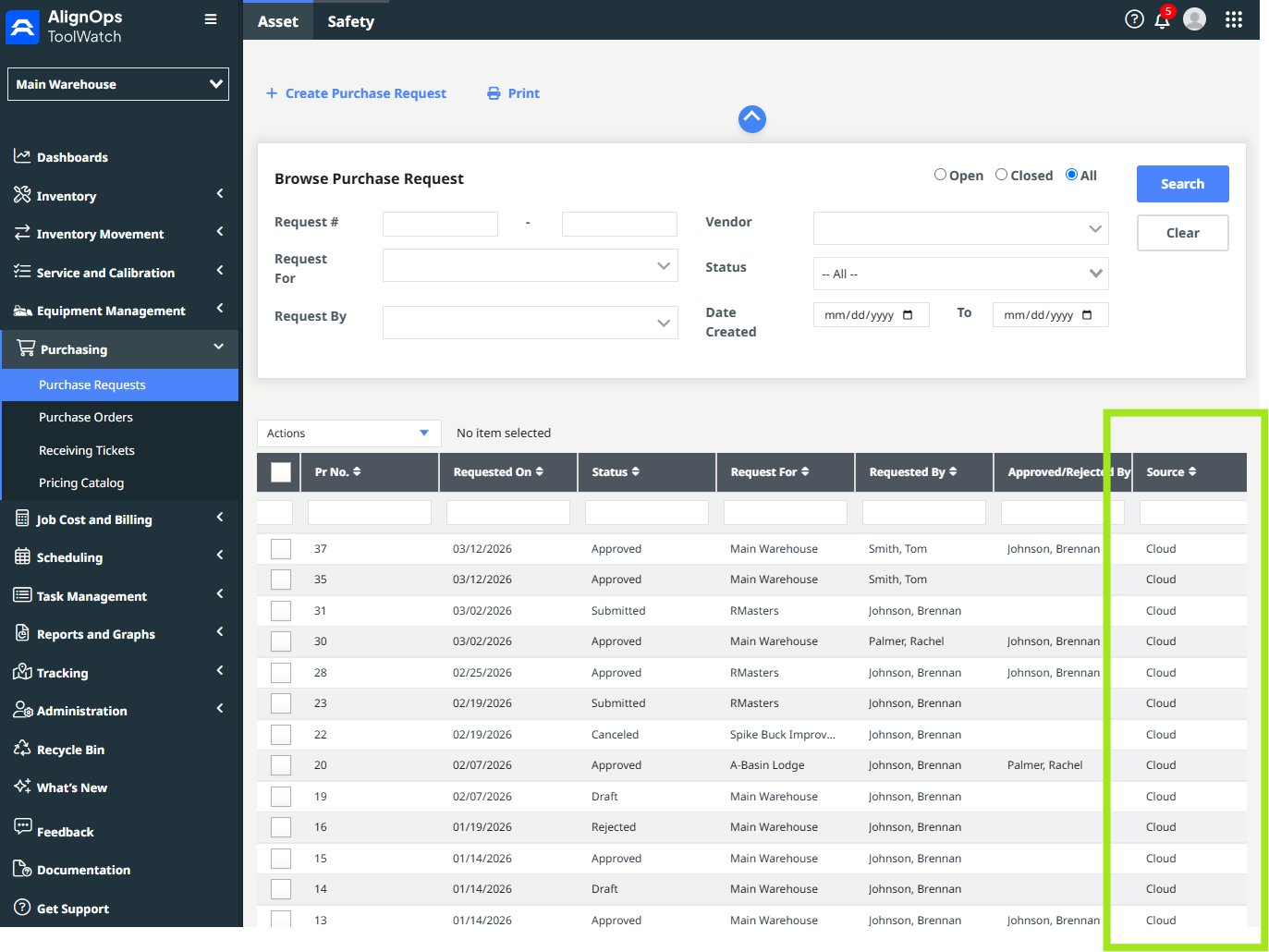
- Origin Tracking: Purchase Requests now feature a dedicated Source column, making it simple to filter, sort, and identify where a request originated.
Smarter Maintenance and Work Orders
Equipment upkeep is vital to keeping projects on track, which is why we have focused heavily on giving you more flexibility with your service plans. Instead of navigating dense menus, here is how we are making work orders more agile:
- You can now track historical tasks more effectively because we have added a Work Order Completed Date column to the main browser.
- Furthermore, because project realities frequently change mid-workflow, you can now edit requested service information while a Work Order is actively in progress. This allows your team to make updates on the fly without needing to cancel or restart the record from scratch.
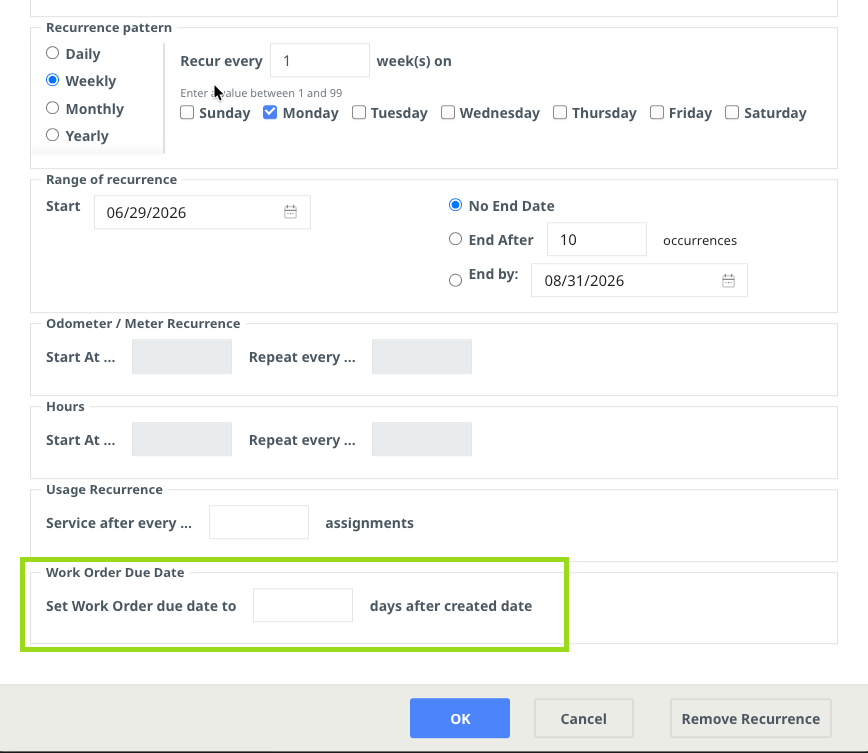
- Finally, for teams using automated service plans, we have introduced a due date offset to work order recurrences, allowing scheduled maintenance orders to automatically calculate their due dates based on a set number of days following their creation instead of being due the same day they’re created.
Operational Tweaks and Global Accessibility
Beyond purchasing and maintenance, we are continuously refining smaller touchpoints to improve global usability:
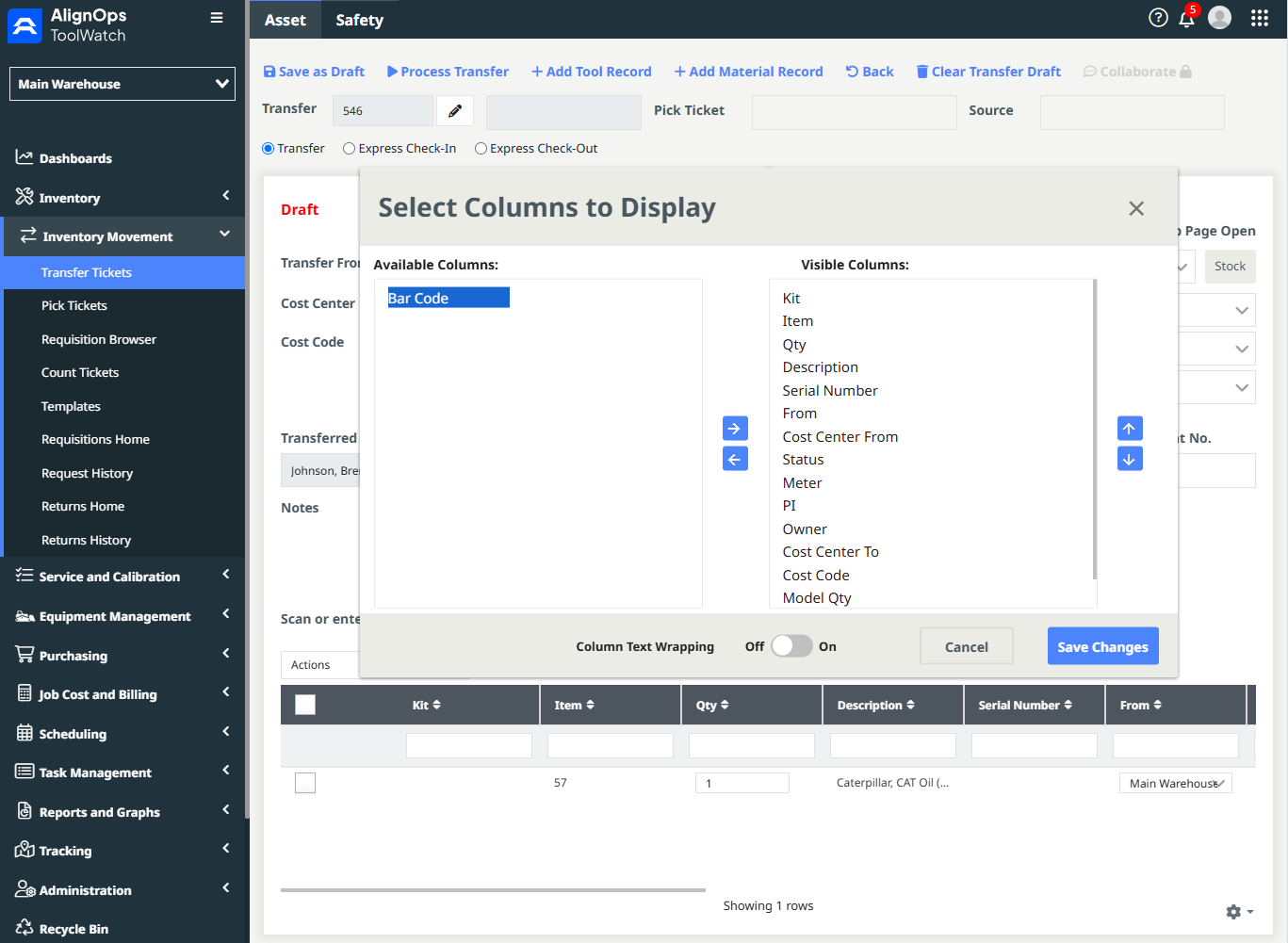
- Custom Barcode Columns: When creating a Transfer Ticket, you now have the option to add a custom Barcode column right to your data view, giving logistics teams a faster reference point when moving assets.
- Enhanced Spanish Translations: We have pushed comprehensive updates to our Spanish translations to ensure a cleaner, more intuitive experience for Spanish-speaking users across the entire application interface.
Reporting Accuracy and System Reliability
A core focus of the June release was tightening up data so your reports remain accurate. We have resolved an issue where retired tools were accidentally omitted from Custom Reports, meaning your historical asset data will now be fully complete. Additionally, our team corrected calculation and date bugs affecting Count Variance quantities and Requisition "Date Needed" fields. If you rely heavily on sharing data outside the app, you will also notice smoother report sorting, seamless Excel publishing, and improved Rate Sheet exports.
Lastly, we have cleared out several minor bugs to keep the platform stable and responsive. This includes fixing visibility issues with Work Order records so they display consistently, updating mobile barcode scanning and navigation for Pick Tickets, and correcting stock location visibility during Express Check-In workflows. Item management also received a performance lift, correcting minor errors with model merging, special characters in descriptions, and how items inside kits map out visually.
Experience the Update Today
These updates and fixes are officially live across all ToolWatch platforms. Log in to your web portal or update your mobile app today to explore the new fields and streamlined workflows. If you have any questions or need assistance setting up your new workflows, please connect with our support team or explore the latest guides in our documentation.